
UTILITY AND DAILY USED SOFTWARE
Text To Speech , Voice master , speech to text
₹999.00
₹2,999.00
67% OFF
You save ₹2,000.00
VoiceMaster Pro (wordpress plugin)
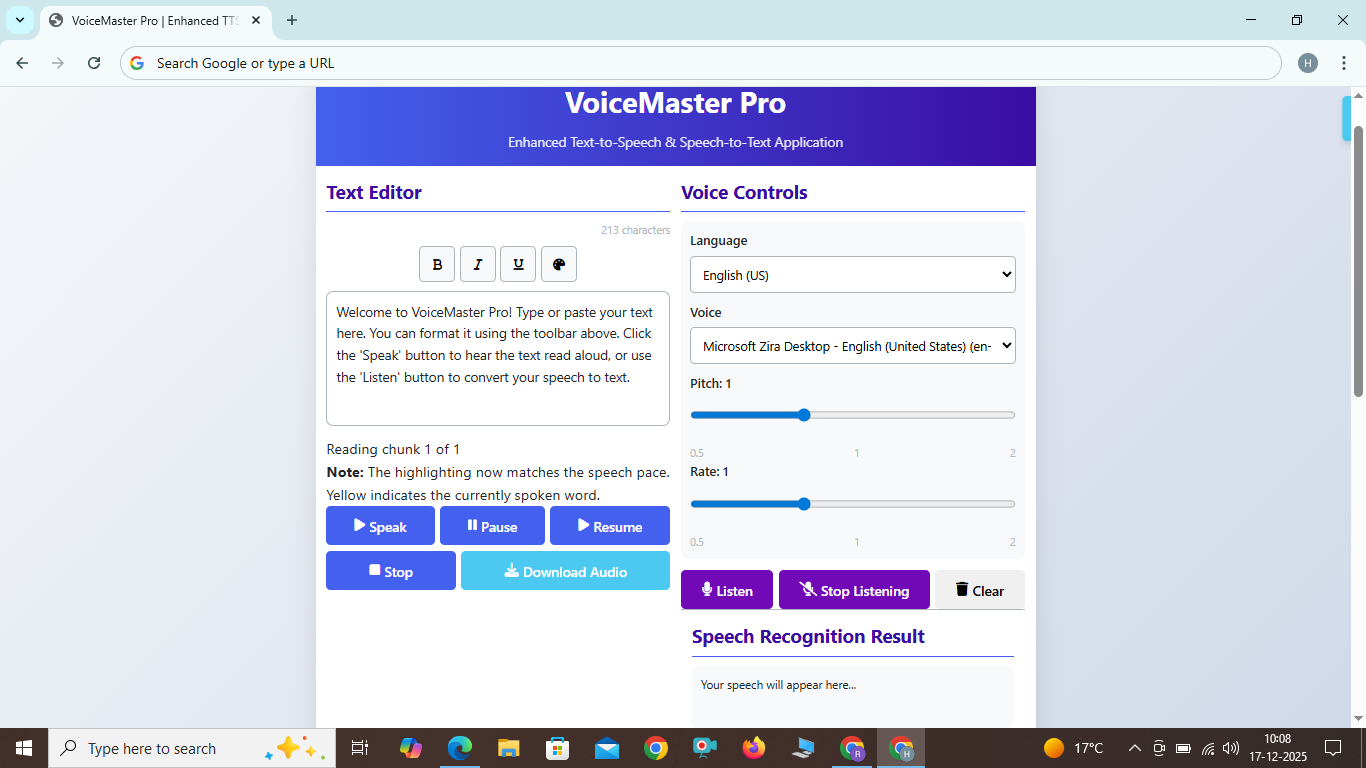
Enhanced Text-to-Speech & Speech-to-Text Application
Text-to-Speech Features
VoiceMaster Pro allows you to convert any text into natural sounding speech with these simple steps:
- Type or paste your text into the text editor
- Format your text using the formatting toolbar (bold, italic, underline, color)
- Select your preferred language and voice type
- Adjust the pitch and rate sliders to customize the speech
- Click the 'Speak' button to hear your text read aloud
- Download the audio as a WAV file for later use
Speech-to-Text Features
Convert your spoken words into text with our accurate speech recognition:
- Click the 'Listen' button to start speech recognition
- Speak clearly into your microphone
- See your speech converted to text in real-time
- Click 'Stop Listening' when you're finished
- Use the 'Clear' button to reset the transcript
How to Use VoiceMaster Pro
Text-to-Speech Features
VoiceMaster Pro allows you to convert any text into natural sounding speech with these simple steps:
- Type or paste your text into the text editor
- Format your text using the formatting toolbar (bold, italic, underline, color)
- Select your preferred language and voice type
- Adjust the pitch and rate sliders to customize the speech
- Click the 'Speak' button to hear your text read aloud
- Download the audio as a WAV file for later use
Speech-to-Text Features
Convert your spoken words into text with our accurate speech recognition:
- Click the 'Listen' button to start speech recognition
- Speak clearly into your microphone
- See your speech converted to text in real-time
- Click 'Stop Listening' when you're finished
- Use the 'Clear' button to reset the transcript
Tips for Best Results
For optimal performance with VoiceMaster Pro:
- Use Chrome browser for the best compatibility
- Check voice availability for your selected language
- Speak clearly and at a moderate pace for speech recognition
- Use a quality microphone for better speech-to-text results
- For long texts, the audio generation may take a few moments