
Screen Recorder
You save ₹2,200.00
Free Screen Recorder Software (wordpress Plugin)
This recorder offers a lightweight, user-friendly experience like Apowersoft Free Online Screen Recorder, with added perks:
- Free & Simple: No installation, no watermarks, no time limits.
- Clear Videos: High-quality WebM output, matching your screen's resolution.
- Flexible Audio: Record system audio, microphone, or both.
- Uninterrupted Recording: Continues across tab/window switches after a single permission grant.
- Modern UI: Clean, responsive design with a movable, resizable control box.
- Privacy: Runs locally in your browser for secure data.
- Easy Sharing: Save and share videos instantly.
How to Use This Screen Recorder
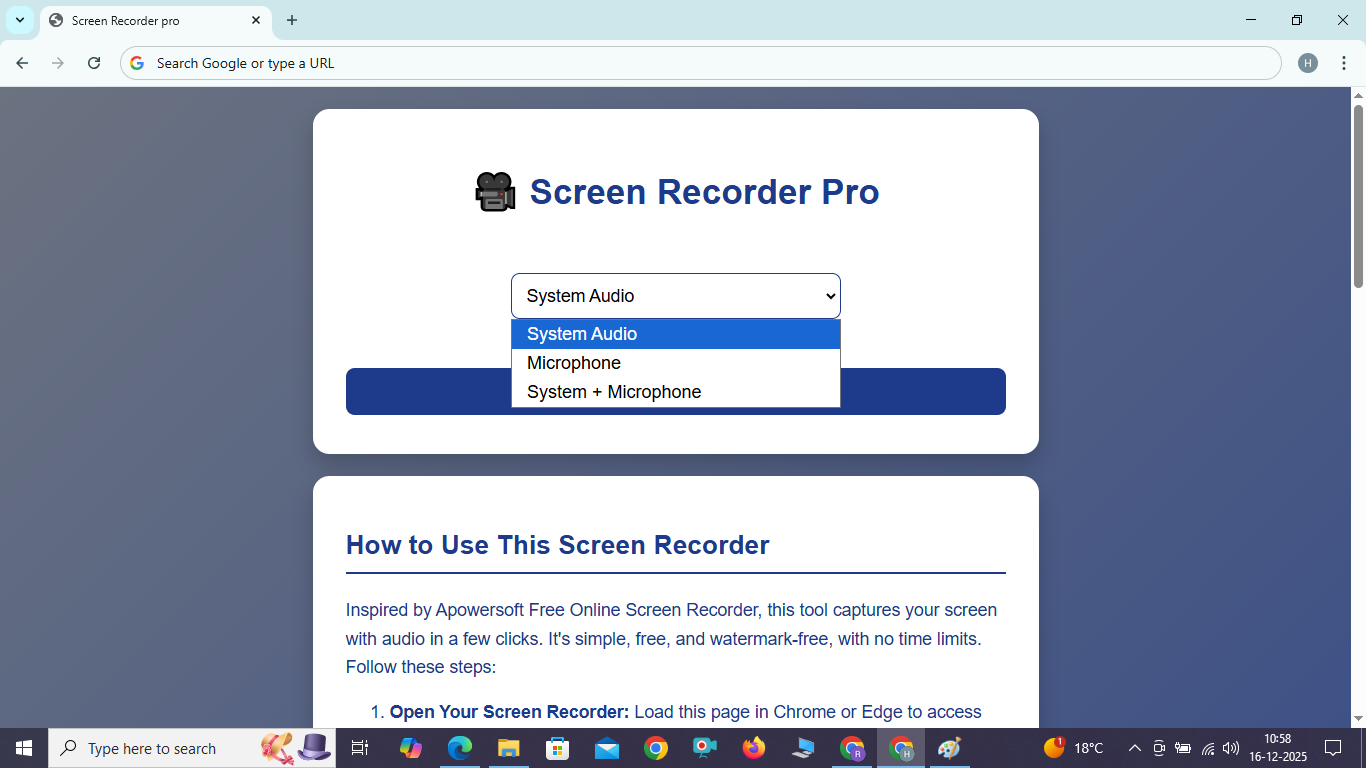
Inspired by Apowersoft Free Online Screen Recorder, this tool captures your screen with audio in a few clicks. It's simple, free, and watermark-free, with no time limits. Follow these steps:
- Open Your Screen Recorder: Load this page in Chrome or Edge to access the recorder.
- Choose Voice Setting: Select "System Audio" for app sounds, "Microphone" for voice, or "System + Microphone" for both from the dropdown.
- Choose a Particular Tab: Click "Start Recording," then select the specific tab, window, or entire screen you want to record in the browser's sharing prompt.
- Go to Share and Click: In the sharing prompt, click "Share" to grant screen access.
- View Tab and Allow Microphone Permission: After clicking share, if you chose "Microphone" or "System + Microphone," a prompt will ask for microphone access. Click "Allow" to enable it. Done! Recording starts with a beep.
During Recording: A draggable, resizable control box appears with Pause, Resume, Stop, and a timer. Drag or resize it as needed. Switch tabs/windows freely; recording continues. Click Stop, then Save to download the WebM video. Refresh to restart.
Note: Captures full windows/tabs due to browser limitations, like Apowersoft. Resize windows or crop videos later. Best on Chrome/Edge; mobile support is limited.
Benefits
This recorder offers a lightweight, user-friendly experience like Apowersoft Free Online Screen Recorder, with added perks:
- Free & Simple: No installation, no watermarks, no time limits.
- Clear Videos: High-quality WebM output, matching your screen's resolution.
- Flexible Audio: Record system audio, microphone, or both.
- Uninterrupted Recording: Continues across tab/window switches after a single permission grant.
- Modern UI: Clean, responsive design with a movable, resizable control box.
- Privacy: Runs locally in your browser for secure data.
- Easy Sharing: Save and share videos instantly.
FAQ
- Q: Can I record just part of the screen?
A: Captures full windows/tabs, like Apowersoft. Resize windows or crop later. - Q: Why WebM format?
A: Lightweight and clear; convert to MP4 if needed. - Q: Does it work on mobile?
A: Limited to Android Chrome for tab recording; iOS is unreliable. - Q: Why a beep?
A: Confirms recording start for clarity. - Q: Why does it stop after 5 seconds?
A: Avoid clicking “Stop Sharing” in the browser. Record for >10 seconds. - Q: What if it fails to save?
A: Record for >10 seconds, check permissions, or try Chrome/Edge. - Q: Why is the control box not visible?
A: Ensure recording starts (beep sounds). Use Chrome/Edge for best compatibility.