
Excel Converter Pro
You save ₹1,800.00
Excel Converter Pro (wordpress Plugin)
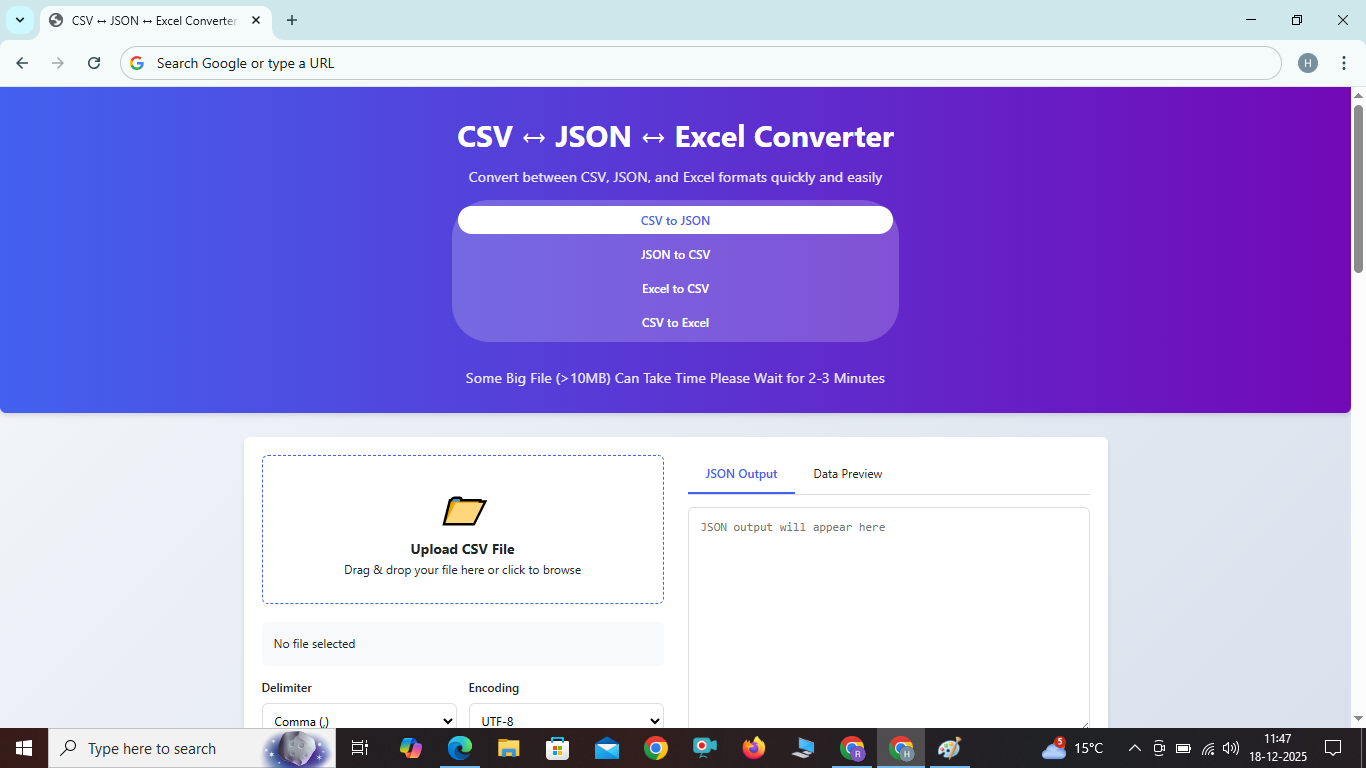
CSV ↔ JSON ↔ Excel Converter
CSV ↔ JSON ↔ Excel Converter: The Ultimate Tool for Data Transformation
Key Features
⚡
Lightning Fast Conversion
Convert large files in seconds with our optimized algorithm.
????
Advanced Options
Customize delimiter, encoding, and formatting options for precise conversion.
????
Real-time Preview
Preview your data before and after conversion to ensure accuracy.
????
Data Statistics
Get instant insights with row count, column count, and file size information.
????
Excel Support
Convert between Excel and CSV formats with full worksheet support.
????
Privacy First
All processing happens in your browser - your data never leaves your computer.
How to Use the Converter
Follow these simple steps to convert your data between formats:
- Select conversion type - Choose between CSV to JSON, JSON to CSV, Excel to CSV, or CSV to Excel.
- Upload your file by dragging and dropping it into the upload area or clicking to browse your files.
- Adjust conversion settings such as delimiter, encoding, and formatting options.
- Click the convert button to start the conversion process.
- Preview your output and use the preview tabs to verify the results.
- Download or copy the output to use in your applications.
Benefits of Converting Between CSV, JSON and Excel
Converting between CSV, JSON, and Excel offers several advantages for developers and data analysts:
- Web-Friendly Format: JSON is the preferred data format for web APIs and applications.
- Spreadsheet Compatibility: CSV and Excel are widely supported by spreadsheet applications.
- Hierarchical Data: JSON supports nested structures, allowing for more complex data representation.
- Easier Parsing: JSON can be parsed natively in JavaScript and many other programming languages.
- Better Data Types: JSON supports various data types beyond strings, unlike CSV.
- Rich Formatting: Excel files support formatting, formulas, and multiple worksheets.
Frequently Asked Questions
What is the maximum file size I can convert?+
Does the converter support special characters?+
Can I convert between Excel and CSV with this tool?+
Is my data secure when using this converter?−
Yes, all conversion happens entirely in your browser. Your data never leaves your computer, ensuring complete privacy.
What Excel formats are supported?+