

CSS GENERATOR SOFTWARE
You save ₹1,800.00
CSS GENERATOR SOFTWARE (wordpress plugin)
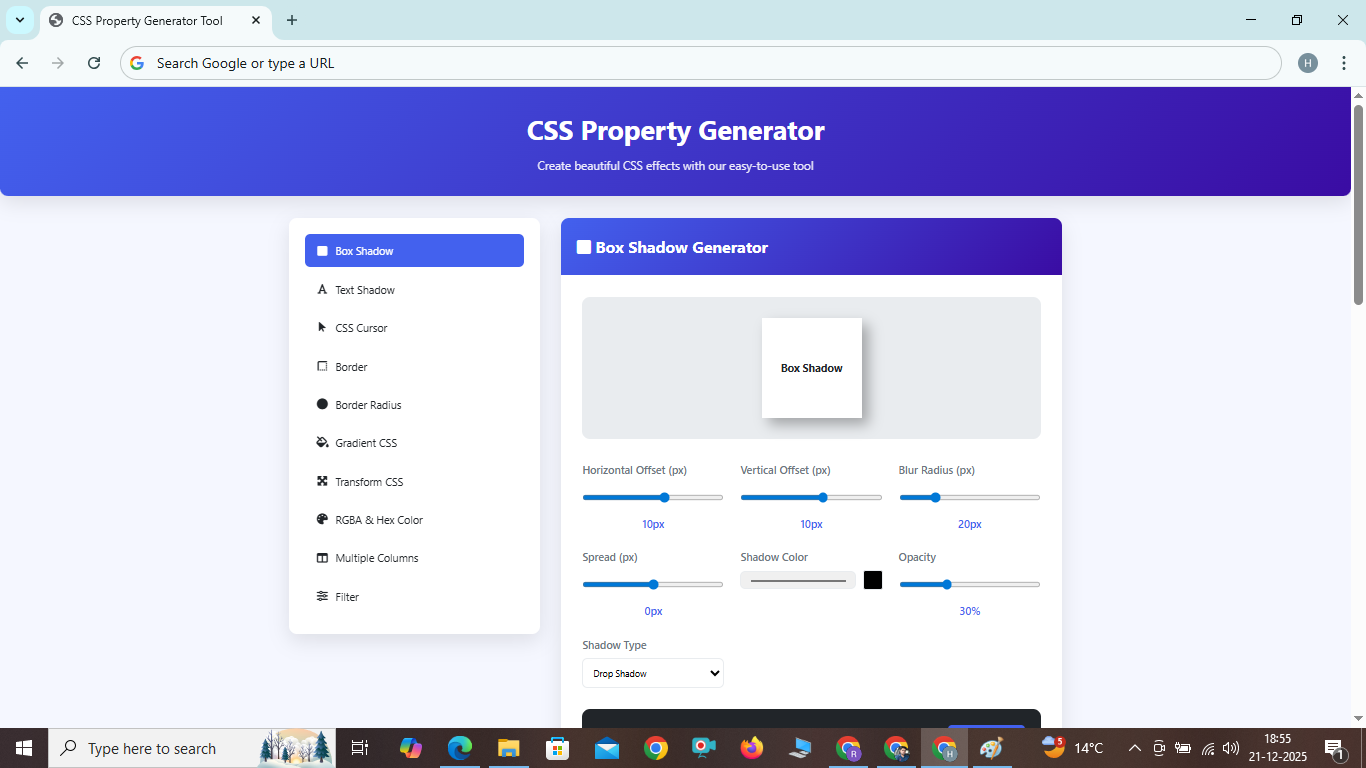
CSS Property Generator
Create beautiful CSS effects with our easy-to-use tool
Box Shadow CSS Property
The CSS box-shadow property is used to apply one or more shadows to an element. It's a versatile property that can create depth, emphasis, and visual interest in your designs.
Key Features
- Multiple Shadows: Apply multiple shadows to a single element by comma-separating values.
- Inset Shadows: Create inner shadows using the 'inset' keyword.
- Color Control: Use any color format (hex, RGB, RGBA, HSL, HSLA) for shadow colors.
- Spread Control: Adjust the size of the shadow with the spread parameter.
- Performance: Hardware-accelerated in modern browsers for smooth animations.
Box Shadow CSS Property
The CSS box-shadow property is used to apply one or more shadows to an element. It's a versatile property that can create depth, emphasis, and visual interest in your designs.
Key Features
- Multiple Shadows: Apply multiple shadows to a single element by comma-separating values.
- Inset Shadows: Create inner shadows using the 'inset' keyword.
- Color Control: Use any color format (hex, RGB, RGBA, HSL, HSLA) for shadow colors.
- Spread Control: Adjust the size of the shadow with the spread parameter.
- Performance: Hardware-accelerated in modern browsers for smooth animations.
How to Use
To apply a box shadow, use the following syntax:
box-shadow: [horizontal offset] [vertical offset] [blur radius] [spread radius] [color] [inset];
All values except color and inset are length values. The inset keyword is optional and changes the shadow from outer to inner.
Benefits
- Visual Hierarchy: Create depth and establish visual hierarchy without images.
- Performance: Better performance than image-based shadows.
- Responsive: Automatically scales with your elements.
- Accessibility: Can improve readability and focus states.
- Animation Ready: Easily animatable with CSS transitions and animations.
Frequently Asked Questions
What's the difference between blur and spread in box-shadow?
The blur radius determines how blurry the shadow appears. A value of 0 creates a sharp shadow. The spread radius expands or contracts the shadow. Positive values make the shadow larger, negative values make it smaller.
Can I use multiple box shadows on one element?
Yes, you can apply multiple shadows by comma-separating them. The first shadow will be on top, with subsequent shadows layered underneath.
How does box-shadow affect performance?
Box shadows are generally performant, but complex shadows with large blur values on many elements can impact performance, especially on mobile devices. Use them judiciously.
Do box shadows work with border-radius?
Yes, box shadows follow the border-radius of an element, creating rounded shadows for elements with rounded corners.